


About this product
ELIMINATE THE NOISE
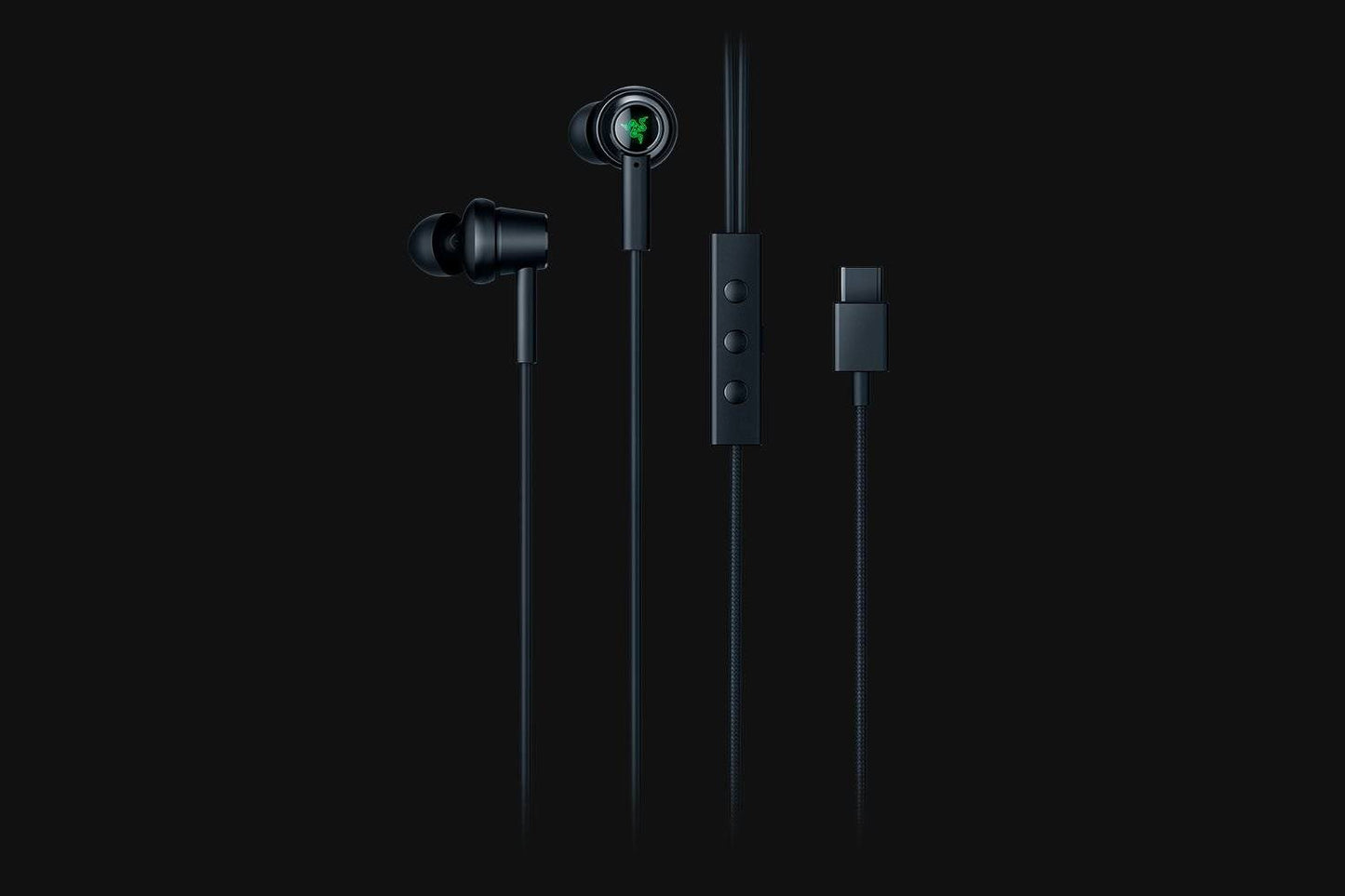
The Razer Hammerhead USB-C powered active noise cancellation (ANC) in-ears deliver the noise cancellation capabilities of larger headsets without the bulk. Dual driver technology combines the bass from a dynamic driver and high frequency details from a balanced armature driver for full range sound, while a digital-to-analog converter (DAC) ensures it is clear and uncompressed. The in-ears also feature a durable aluminum frame, braided cables, and inline control, with Comply™ ear tips to provide a secure fit with enhanced noise cancellation.
TECH SPECS
At a glance
- Active noise cancellation (ANC)
- Dual driver technology
- Inline control and mic
- Aluminum construction
- Braided cables
Headphones
- Frequency response: 20 Hz - 20 kHz
- Impedance: 32 ± 15% Ω
- Sensitivity: 110 ± 3 dB (Max SPL)
- Input Power: 10mW/20mW
- Drivers: Dynamic + Balanced Armature
- Connector: USB-C Connector
- Cable length: 1.2 m
- Approximate Weight: 21.0 g
Microphone
- Frequency response: 100 Hz – 10 kHz
- Signal-to-noise ratio: ≥ 58 dB
- Sensitivity (@1 kHz): 40 ± 3 dB
- Pick-up pattern: Omnidirectional
In-line remote
- Volume controls: Volume up/Down
- Center control: Play/ Pause Accept/ End Call
- Center Switch: ANC On/Off
Compatibility
|
BRAND |
MODEL | FULL COMPATIBILITY | PARTIAL COMPATIBILITY | |
|---|---|---|---|---|
| Inline Remote Center Button |
Call Function | |||
| Razer | Phone 1 |  |
||
| Razer | Phone 2 | |
||
| Samsung | S9 |  |
||
| Samsung | S9+ | |
||
| Oppo | Find X | |
||
| OnePlus** | 5 | |
||
| OnePlus** | 6 | |
||
| Huawei | P10 |  |
|
|
| Huawei | P10 Plus | |
|
|
| Huawei | Mate 9 | |
|
|
| Huawei | Mate 9 Pro | |
|
|
| Huawei | Mate 10 Pro | |
||
| Huawei | P20 | |
||
| Huawei | P20 Pro | |
||
| Xiaomi | Mi 6 | |
||
| Xiaomi | Mi Max 2 | |
||
| Pixel 2 | |
|||
| Pixel 2XL | |
|||
Fully compatible
Partially compatible
Not compatible
*This list is not exhaustive.
**For OnePlus 5 and OnePlus 6, to enjoy full compatibility, enable OTG storage on your mobile phone by going to Settings > Advanced > OTG Storage.
**For OnePlus 5 and OnePlus 6, to enjoy full compatibility, enable OTG storage on your mobile phone by going to Settings > Advanced > OTG Storage.
Frequently asked questions
How fast will my order be shipped?
Orders are dispatched within 24 hours. Delivery usually takes 2-7 business days depending on your location (remote pincodes can take longer). Tracking details are shared on WhatsApp and SMS.
Do I get a GST invoice?
Yes - every order includes a GST invoice. Businesses can use it to claim input tax credit.
Is this product genuine?
Yes - we sell 100% genuine, brand-authorized stock with the applicable brand warranty.
What is the return policy?
We have a 7-day return policy - the item must be unused and in its original packaging. Defective or damaged items are replaced. See our Shipping and Returns page for full details.
Which courier will deliver my order?
We ship via Xpressbees, India Post, Delhivery, Amazon Shipping and other leading partners - whichever serves your pincode fastest.
Razer Hammerhead USB-C ANC In-Ears
₹ 7,483.00 ₹ 8,599.00